比较一下两种语言的语法和设计思想。
C#中的线程和任务
先说结论: 在C#中,任务Task是一个比线程Thread级别更高的概念
用一段代码看一下C#的多线程
using System.Threading;
using System;
namespace ThreadingDemo
{
    class Program
    {
        static void Main(string[] args)
        {
            Console.WriteLine("Main Thread Started");

            //Creating Threads
            Thread t1 = new Thread(Method1)
            {
                Name = "Thread1"
            };
            Thread t2 = new Thread(Method2)
            {
                Name = "Thread2"
            };
            Thread t3 = new Thread(Method3)
            {
                Name = "Thread3"
            };

            //Executing the methods
            t1.Start();
            t2.Start();
            t3.Start();
            Console.WriteLine("Main Thread Ended");
            Console.Read();
        }
        static void Method1()
        {
            Console.WriteLine("Method1 Started using " + Thread.CurrentThread.Name);
            for (int i = 1; i <= 5; i++)
            {
                Console.WriteLine("Method1 :" + i);
            }
            Console.WriteLine("Method1 Ended using " + Thread.CurrentThread.Name);
        }

        static void Method2()
        {
            Console.WriteLine("Method2 Started using " + Thread.CurrentThread.Name);
            for (int i = 1; i <= 5; i++)
            {
                Console.WriteLine("Method2 :" + i);
                if (i == 3)
                {
                    Console.WriteLine("Performing the Database Operation Started");
                    //Sleep for 10 seconds
                    Thread.Sleep(10000);
                    Console.WriteLine("Performing the Database Operation Completed");
                }
            }
            Console.WriteLine("Method2 Ended using " + Thread.CurrentThread.Name);
        }
        static void Method3()
        {
            Console.WriteLine("Method3 Started using " + Thread.CurrentThread.Name);
            for (int i = 1; i <= 5; i++)
            {
                Console.WriteLine("Method3 :" + i);
            }
            Console.WriteLine("Method3 Ended using " + Thread.CurrentThread.Name);
        }
    }
}
>>>
Main Thread Started
Main Thread Ended
Method1 Started using Thread1
Method1 :1
Method1 :2
Method1 :3
Method1 :4
Method1 :5
Method1 Ended using Thread1
Method3 Started using Thread3
Method3 :1
Method3 :2
Method3 :3
Method3 :4
Method3 :5
Method3 Ended using Thread3
Method2 Started using Thread2
Method2 :1
Method2 :2
Method2 :3
定义线程执行的函数后,Start()就运行了
用一段代码看一下C#的任务
using System;
using System.Threading;
using System.Threading.Tasks;

namespace TaskBasedAsynchronousProgramming
{
    class Program
    {
        static void Main(string[] args)
        {
            Console.WriteLine($"Main Thread : {Thread.CurrentThread.ManagedThreadId} Statred");
            Task task1 = Task.Run(() =>
            {
                PrintCounter();
            });
            task1.Wait();
            Console.WriteLine($"Main Thread : {Thread.CurrentThread.ManagedThreadId} Completed");
            Console.ReadKey();
        }

        static void PrintCounter()
        {
            Console.WriteLine($"Child Thread : {Thread.CurrentThread.ManagedThreadId} Started");
            for (int count = 1; count <= 5; count++)
            {
                Console.WriteLine($"count value: {count}");
            }
            Console.WriteLine($"Child Thread : {Thread.CurrentThread.ManagedThreadId} Completed");
        }
    }
}
>>>
Main Thread : 1 Statred
Child Thread : 3 Started
count value: 1
count value: 2
count value: 3
count value: 4
count value: 5
Child Thread : 3 Completed
Main Thread : 1 Completed
任务也可以分开写,用Start()来执行
Task task1 = new Task(PrintCounter);
task1.Start();
Python中的_thread和threading
先上结论:threading只是更高级别的_thread
# -*- coding: utf-8 -*-
import _thread
import time

# 为线程定义一个函数
def PrintCounter( threadName, delay):
    count = 0
    while count < 5:
      time.sleep(delay)
      count += 1
      print("%s: %s" % (threadName, count))

if __name__ == '__main__':
    print("Main Tread Started")
    # 创建两个线程
    _thread.start_new_thread(PrintCounter, ("Thread-1", 2, ))
    _thread.start_new_thread(PrintCounter, ("Thread-2", 4, ))
    print("Main Tread Completed")
    time.sleep(20)
>>>
Main Tread Started
Main Tread Completed
Thread-1: 1
Thread-2: 1
Thread-1: 2
Thread-1: 3
Thread-2: 2
Thread-1: 4
Thread-1: 5
Thread-2: 3
Thread-2: 4
# -*- coding: utf-8 -*-
import threading
import time


class myThread (threading.Thread):
    def __init__(self, threadID, name, delay):
        threading.Thread.__init__(self)
        self.threadID = threadID
        self.name = name
        self.delay = delay

    def run(self):
        count = 0
        while count < 5:
            time.sleep(self.delay)
            count += 1
            print("%s: %s" % (self.name, count))


if __name__ == '__main__':
    print("Main Tread Started")
    threadList = ["Thread-1", "Thread-2"]
    delayList = [2, 4]
    threads = []
    threadID = 1

    # 创建新线程
    for tName in threadList:
        thread = myThread(threadID, tName, delayList[threadID - 1])
        thread.start()
        threads.append(thread)
        threadID += 1

    # 等待所有线程完成
    for t in threads:
        t.join()

    print("Main Tread Completed")
>>>
Main Tread Started
Thread-1: 1
Thread-1: 2
Thread-2: 1
Thread-1: 3
Thread-2: 2
Thread-1: 4
Thread-1: 5
Thread-2: 3
Thread-2: 4
Thread-2: 5
Main Tread Completed
threading比较麻烦的地方在于要建个myThread类,把方法写在run函数里。 .join()的作用和C#的Wait()类似
实际应用——以一个UI按钮为例
如果不采用async, 按钮直接按下,会假死,等待后才能移动
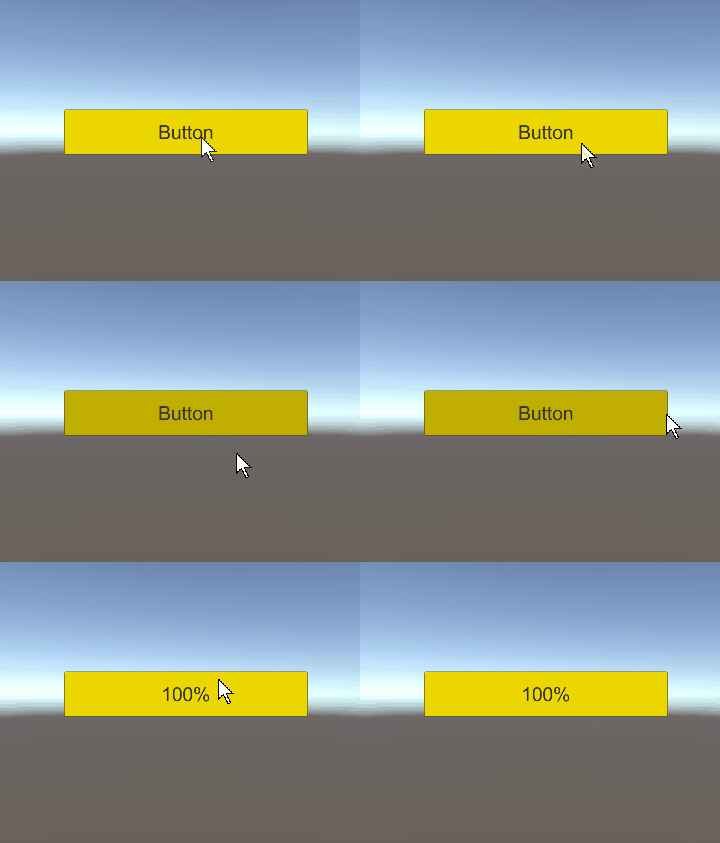 以下是使用了async和await的代码
using System.Threading;
using System.Threading.Tasks;
using UnityEngine;

public class Load : MonoBehaviour
{
    public float percent;

    private void Awake()
    {
    }


    int createEntities()
    {
        int count = 0;
        Debug.Log("Count started");
        for( int i = 1; i <= 100;  i++)
        {
            percent = ++count * 100 / 100;
            Thread.Sleep(10);
        }
        Debug.Log("Count Completed");
        return count;
    }

    public async void btnProcessClick()
    {
        Task<int> task = new Task<int>(createEntities);
        task.Start();
        int count = await task;
    }
}
本来想在这个脚本里改button上的文字,显示加载进度,发现报错
UnityException: get_isActiveAndEnabled can only be called from the main thread.
只好再写一个函数来更新文字
using UnityEngine;
using UnityEngine.UI;

public class changeStr : MonoBehaviour
{
    public Text buttonText;

    void Start()
    {
        buttonText = this.GetComponent<Text>();
    }

    void Update()
    {
        float percent = GameObject.Find("Button").GetComponent<Form1>().percent;
        if (percent != 0)
             buttonText.text = percent.ToString() + "%";
    }
}
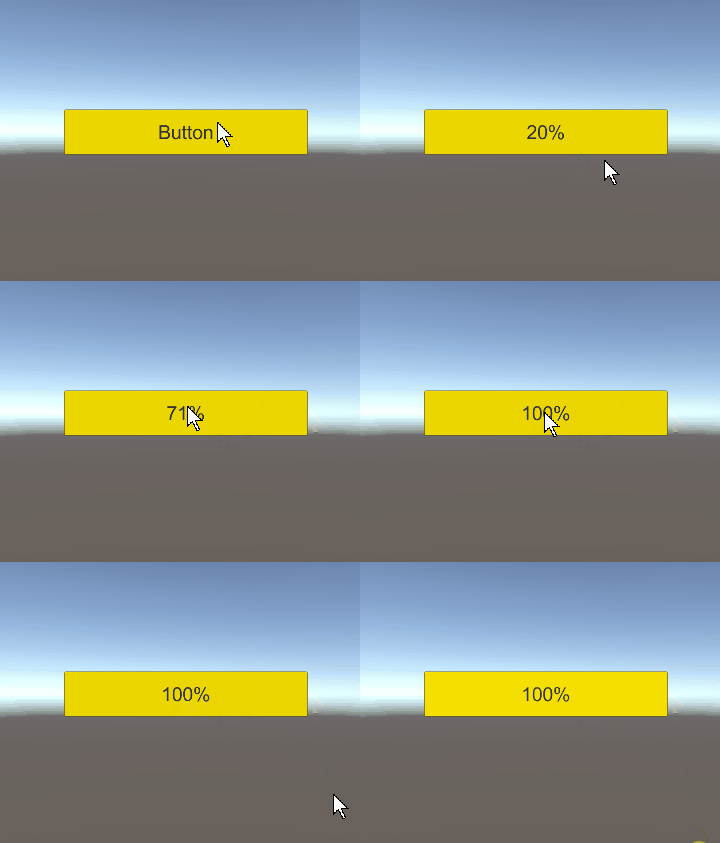
参考链接
Task-based Asynchronous Programming in C#
作者 [张巍]
2022 年 04月 27日
